New to digital banking?
Our step-by-step guides show you how to register and use our digital services, so you can manage your money whenever and wherever you want.

Loading...
Our step-by-step guides show you how to register and use our digital services, so you can manage your money whenever and wherever you want.
Check out the features that make our current account a great choice for everyone.
Track where and when you’ve spent with our app and Online Banking and stay in control of your cash.
Explore our toolsWhen you open a bank account online, you can get in touch with us easily. Just send us a message from the ‘Help’ section of the app or Online Banking and we’ll let you know when we’ve replied.
We’re the only bank in the UK to have received Secure Digital Banking kitemarks for our app and Online Banking
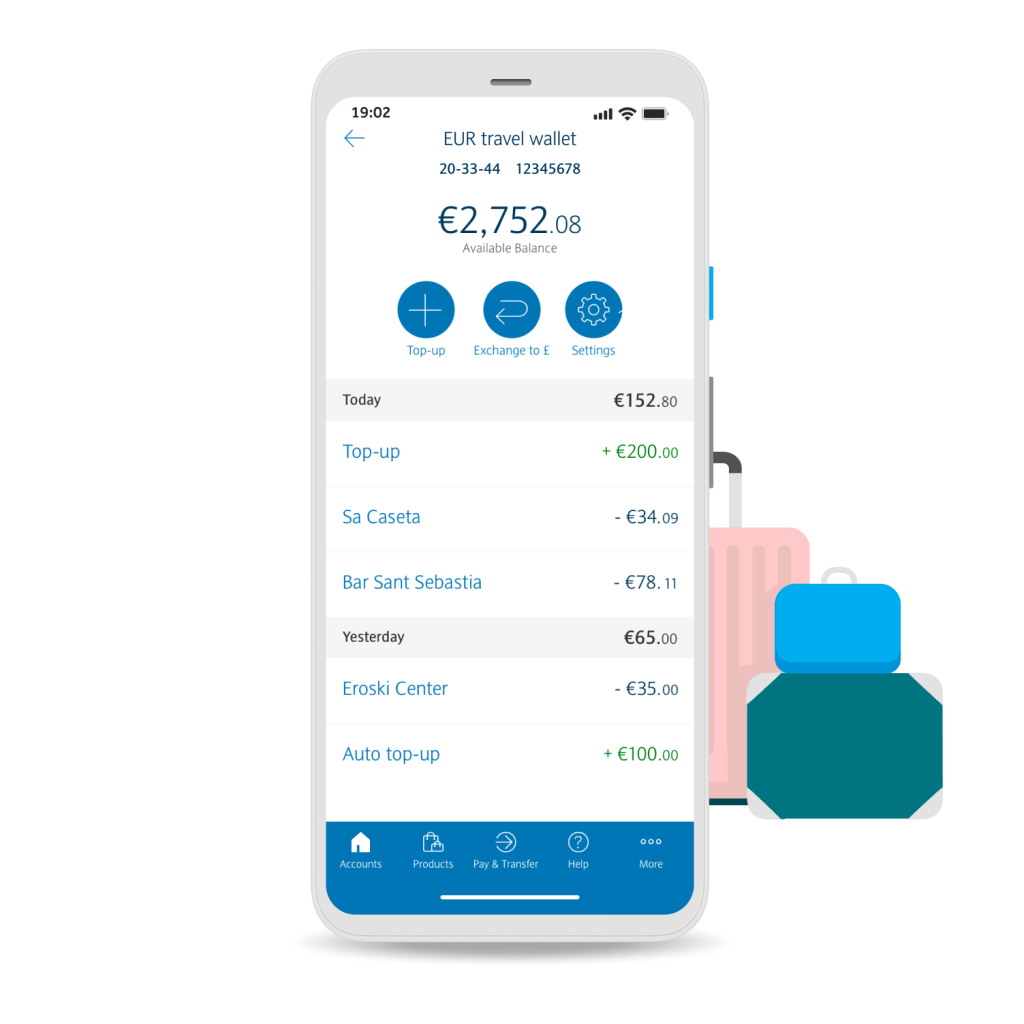
Swap the currency exchange queue for the app. Buy US dollars and euros to spend on your existing debit card, then easily convert them back to pounds(3). It's more convenient than carrying cash and there are no transaction fees.
Explore Travel WalletSet up an arranged overdraft to suit your needs. Subject to application, financial circumstances and borrowing history.
About OverdraftMake your debit card truly yours by adding a photo that brings a smile to your face every time you pay. It's quick, easy, and uniquely you. Terms and conditions apply
Banking made simple, secure and always within reach – whether you're checking your balance, sending money, or managing your spending.
From smart budgeting tools to instant notifications and card controls, the Access One app helps you stay in control – wherever life takes you.
Download the appMake fast, secure payments in shops and in apps using your device.
Explore Apple Pay, Google Pay & Samsung Pay.
Track your spending in real time with instant notifications and smart insights.
Manage your finances with Online Banking and the Access One app.
Get access to enhanced rates on savings, cashback on everyday spending, and an Apple TV subscription – all for just £5 a month. Eligibility terms and conditions apply.
Explore Blue RewardsGet it from the App Store or Google Play.
Use your phone's camera and ID to confirm who you are.
Add your details, choose your preferences and start banking.


If you're already with us, you can add a new account with Online Banking or in the app.
If you don’t have a UK mobile number, you can apply online instead
Get startedDiscover a world of Premier benefits and perks, with access to exclusive savings rates and mortgage options, 24/7 UK-based support and higher payment limits. T&Cs apply.
Explore Premier BankingEnjoy a switch bonus when you open a Premier Current Account with us in the Access One app using the Current Account Switch Service by 30 April 2026. T&Cs and eligibility criteria apply.
Switch to usIf you’re opening an account through your app, you’ll need proof of identity, three years of address history and a UK mobile number.
We accept these documents as proof of identity:
You can download the Access One app from the Apple App Store or Google Play Store.
If you don’t have a UK mobile number, or one of the documents listed above, you can apply for a Access One Bank Account online.
If you need any help or to talk about alternative ways to open an account, please call us on 0345 7345 345. We’re here Monday to Friday from 8am to 8pm, and Saturday from 9am to 5pm. We may monitor and record phone calls. Call charges.
Yes, we offer arranged overdrafts with our current accounts. An arranged overdraft allows you to borrow money through your current account. All overdrafts are subject to application, financial circumstances and borrowing history.
Applying for a Access One Bank Account on the app should take 10 to 15 minutes. If your application is approved, then you’ll get your account details right away and can start using the account immediately. Your Access One debit card will be sent separately – it’ll arrive within seven working days. You PIN will be available within the app in 24 hours.
Yes, anyone with a passport is eligible to open a Access One Bank Account through the Access One app. If you are looking to use an eVisa then an appointment will need to be made in Branch. You’ll need proof of your identity (ID) and your UK address. Book an appointment
Explore ways to unblock more from your Access One account – whether you're planning a trip, protecting your tech or ready for a more personalised banking experience.

Cover what matters most. Get worldwide travel insurance or mobile and gadget cover for a monthly fee – easy to add, easy to manage.

Spend abroad the smart way. Hold and convert currencies in your app, then spend with your debit card – no extra fees, no surprises.
More about Travel Wallets
If you don’t know where to start, our guide has all you need to know about the ISAs we offer and how you can grow your money tax-efficiently.
Read our guide to ISAsScan the QR code with your phone or tablet, or tap the App Store or Google Play buttons below to download the app and begin your application. T&Cs and eligibility apply. 18+ and UK only.

Your feedback helps us improve your experience.